


Purpose
This flow ensures that any email placed in a given folder is automatically forwarded to a predefined email address. To use it, you must create a top-level folder named "DropToForward" containing one or more subfolders. Each subfolder name determines the email address to which the moved message is sent.
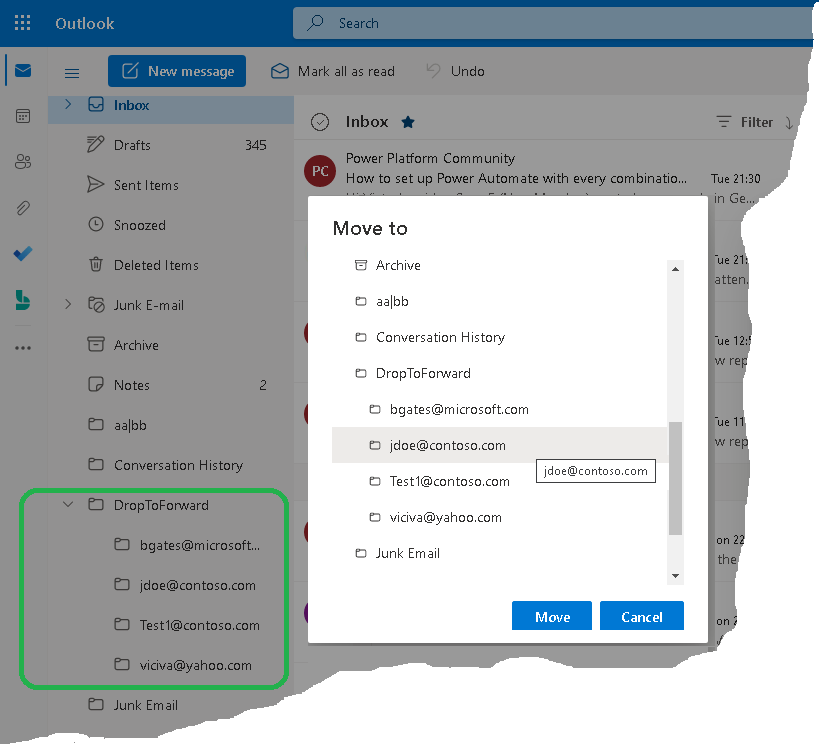
As a Power Automate flow, MoveToForward works with any Outlook client, including Outlook on the web and Outlook for iOS and Android.
Current version: 1.0.1
Installation
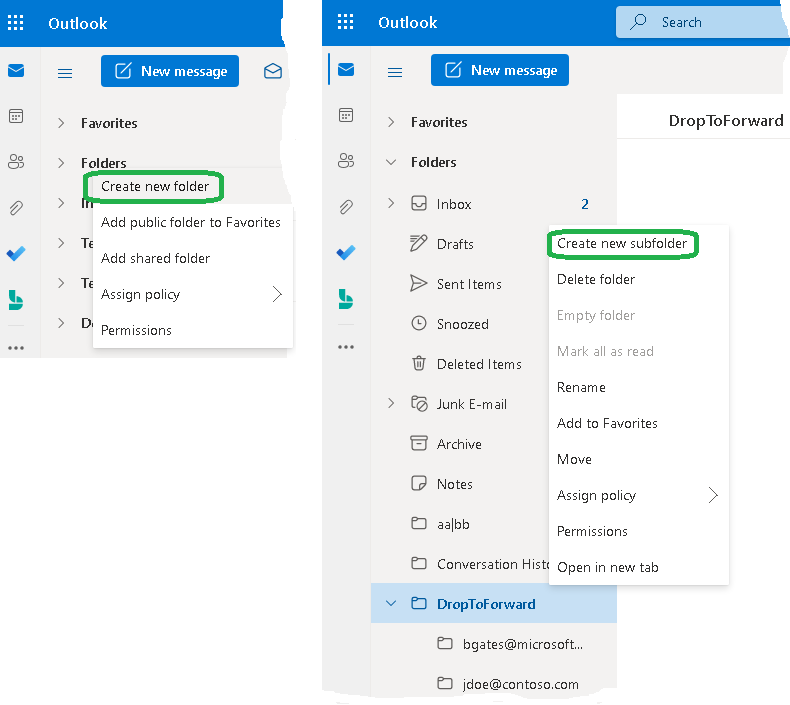
- Create a top-level folder named "DropToForward". Inside it, create subfolders named with the email addresses to which messages should be forwarded.
- Open Power Automate and import "MoveToForward1001.zip", following the Power Automate documentation.

- Save the flow.
- Turn on the flow.

Testing
- Select any message from your Inbox and move it to a subfolder of the "DropToForward" folder (for example, "jdoe@contoso.com"). After approximately 3 minutes, the subfolder should be empty, indicating that the message has been forwarded.
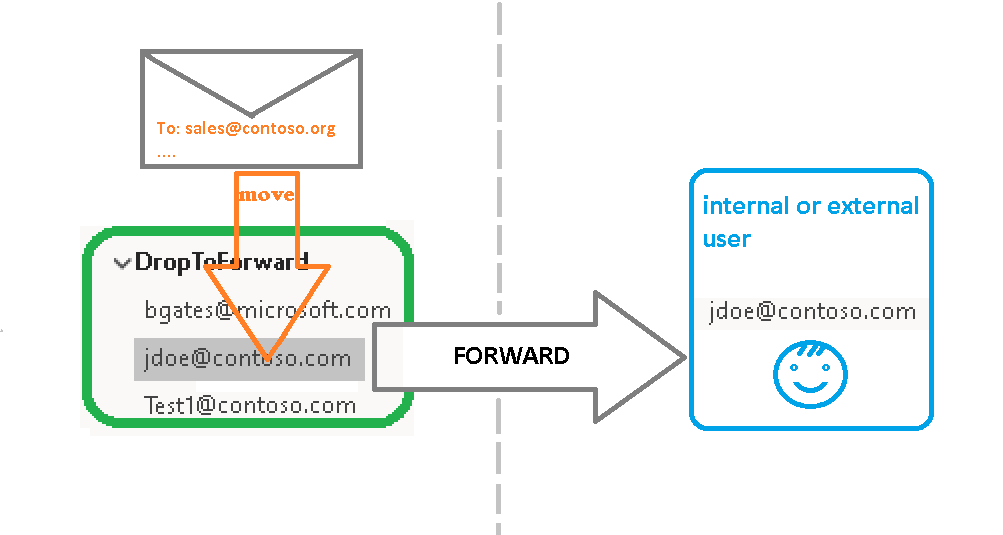
- Verify that the forwarded message is delivered to the recipient.
Warning
We do not offer a demo version; however, we offer a full money-back guarantee. If you are not satisfied, please contact us to request a refund. You must delete the flow upon receiving a refund.
After Purchase
You will receive a download link for the ZIP file. Import it into Power Automate as described in the Installation section.
Pricing and Licensing
This product is licensed per user.
Payments are processed by PayPro Global. For payment-related support, contact PayPro Global Customer Support.
Payments are processed by PayPro Global. For payment-related support, contact PayPro Global Customer Support.
License type
Price per unit

