

Updated:
24 September 2024
Purpose
CentralOOF is a Windows application that allows you, as a Microsoft 365 admin, to set the status (Disabled, Enabled, or Scheduled) and configure Out-of-Office auto-replies for managed mailboxes.
You can manage Out-of-Office settings for the following mailbox types:
- User Mailbox
- Shared Mailbox
- Room Mailbox
- Equipment Mailbox
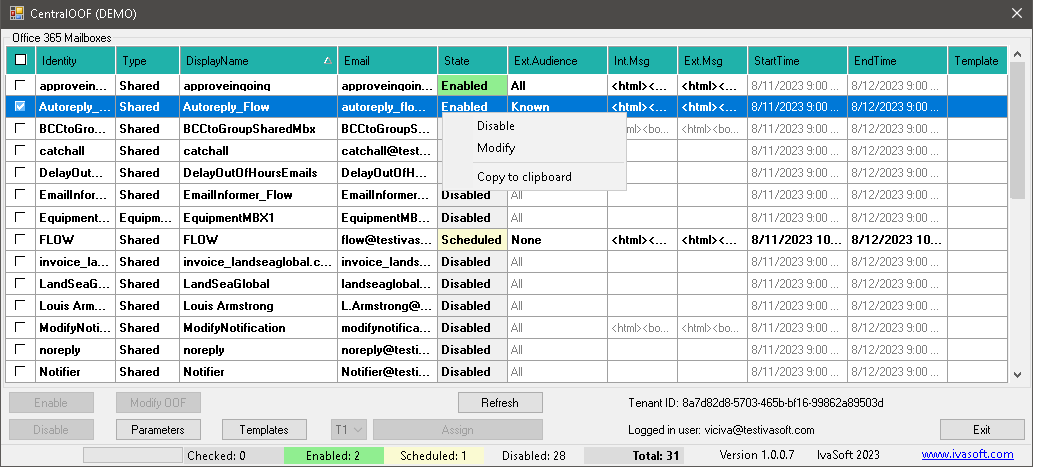
Current version: 1.0.0.7
Installation
- Download and extract CentralOOF(DEMO).zip.
- Create the C:\Program Files\IvaSoft\CentralOOF(DEMO) folder.
- Move the CentralOOF(DEMO).exe file to the C:\Program Files\IvaSoft\CentralOOF(DEMO) folder.
Testing
- Install the Exchange Online Management module. Verify you can log in to Exchange Online PowerShell (see this tutorial).
- Run CentralOOF(DEMO).exe and log in as a Microsoft 365 admin. Verify that the list of mailboxes is populated.
- Select any mailbox using the checkbox in the leftmost column, then click "Enable" or "Disable".
- Verify that the Out-of-Office status has been toggled. Connect to Exchange Online PowerShell and run
Get-mailbox -Identity YourMailboxIdentity | Get-MailboxAutoReplyConfiguration. - Select any record and click "Modify AutoReply". Change the text of the message (note: only raw HTML text editing is supported) or other parameters.
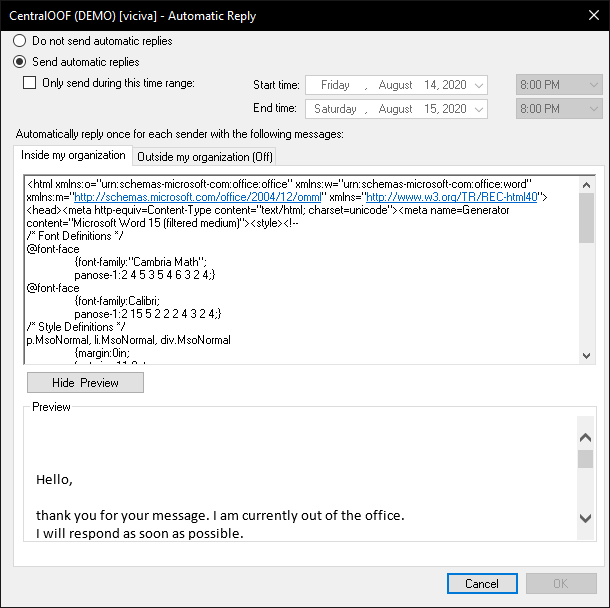
- Verify the change using the same PowerShell command as in step 4, or open Outlook and check Automatic Replies.
Demo Version Notes
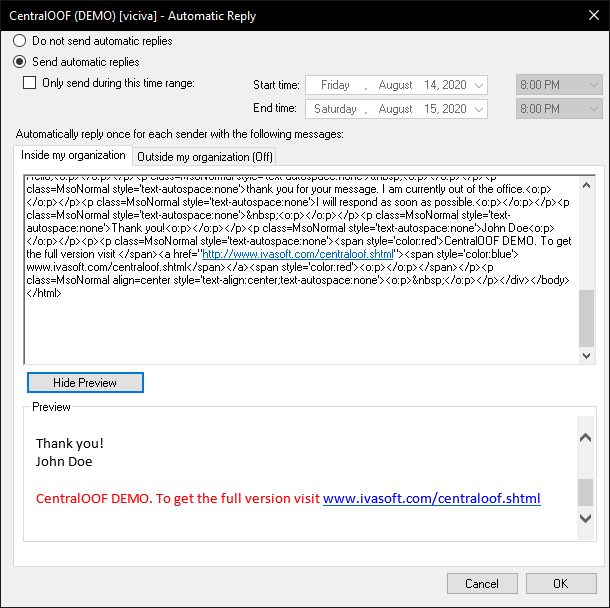
The demo version appends the tag "CentralOOF DEMO" to the text of each internal and external auto-reply message; the full version does not append this tag.
Pricing and Licensing
This product is licensed per user.
Payments are processed by PayPro Global. For payment-related support, contact PayPro Global Customer Support.
Payments are processed by PayPro Global. For payment-related support, contact PayPro Global Customer Support.
License type
Price per unit

