


Purpose
Exchange Online allows you to mark external messages using a transport rule. The common approach is to prepend a warning string to the subject line or message body.
This method has at least two disadvantages:
- The Outlook preview shows the warning message for each external email rather than the first line of the message as users expect to see.
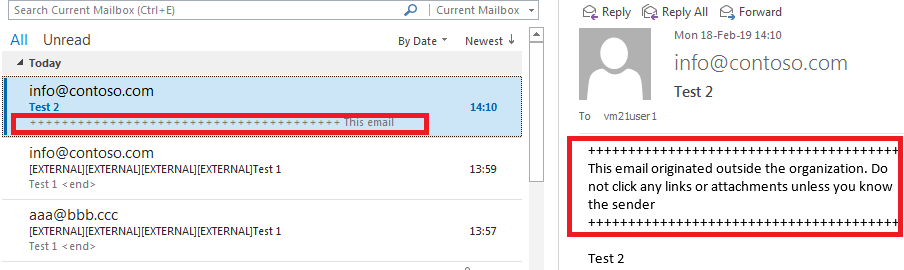
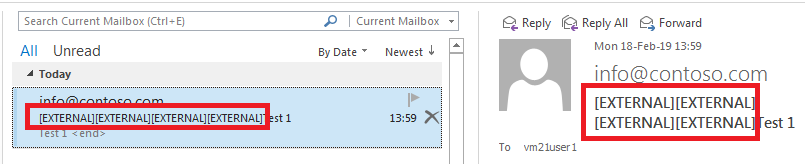
- In a back-and-forth email conversation, the warning is prepended multiple times.
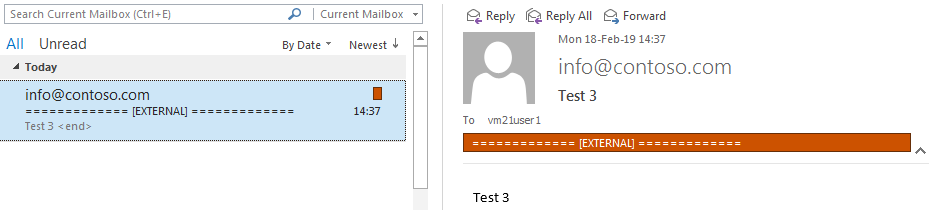
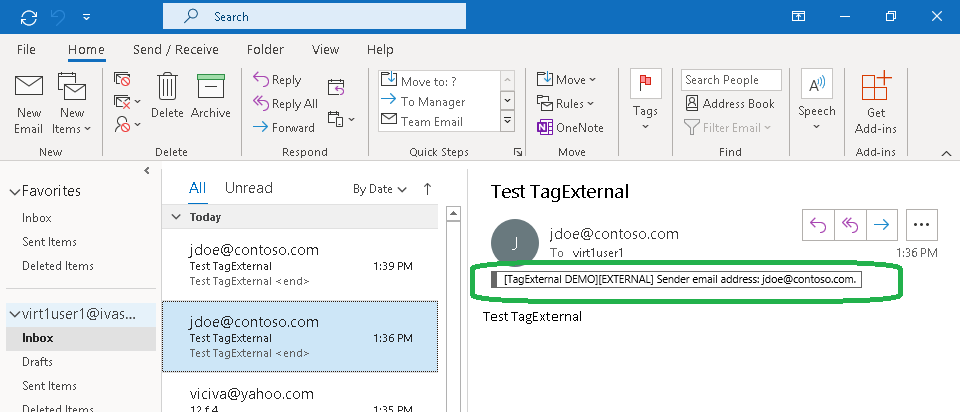
The TagExternal flow does not change the subject line or body to mark a message, but instead assigns a special category. You can define this category (a text string) yourself.
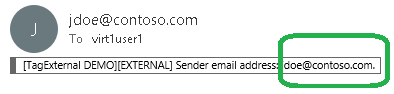
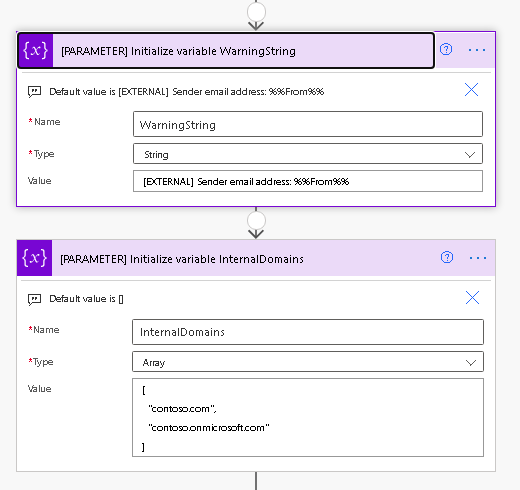
You can place the variable %%From%% in the warning string. It will be replaced by the sender's email address.
Installation
- Download the "tagexternalflow3.zip" file.
- Open Power Automate and import "tagexternalflow3.zip", following the Power Automate documentation.

- Modify the warning message in the action "[PARAMETER] Initialize variable WarningString".
- Update the list of internal domains in the action "[PARAMETER] Initialize variable InternalDomains".
- Turn on the flow.

Testing
- Send a test message from any external address to your internal address.
- Open Outlook and verify that the message is marked as external.
FAQ
Q. Is there a way to change the color of the category?
A. Yes, you can create a custom-colored category as described in the Microsoft support article. If you'd like to use a company-wide category, try this freeware tool: CatMan.
Freeware Notice
We do not provide technical support for it.
Support Pricing
If you require technical support, purchase at least one support unit and contact us. Support units are non-refundable.

