


Purpose
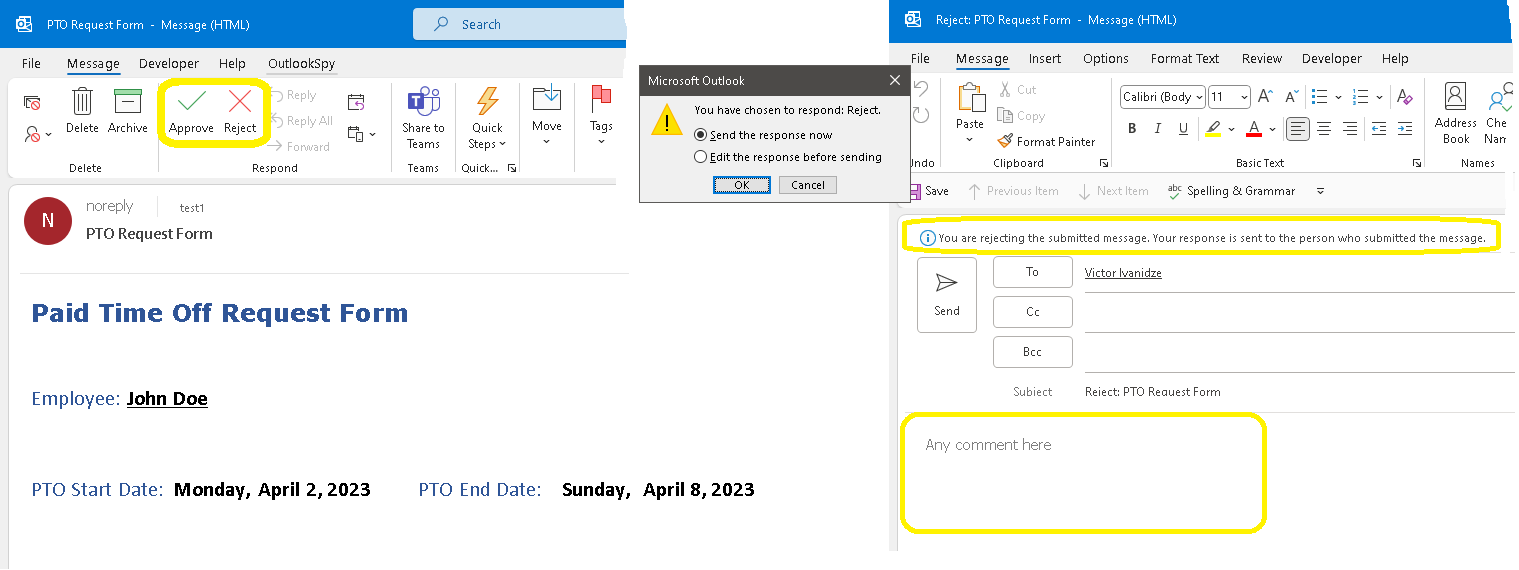
The SendEmailWithNativeApproveRejectButtons flow allows you to send approval requests in the same format as native Outlook approval emails.
The flow provides an alternative to the "Send Email with Options" action in Power Automate. The sender can be an individual user or a shared mailbox. As an approver, you can click the Approve or Reject button inside the email. After clicking Reject, a warning appears. Selecting "Edit the response before sending" and clicking OK opens an editable rejection message where comments can be added.
Note that the PTO (Paid Time Off) request form is just an example. You can create any request form you wish by modifying the HTML body of the request.
Current version: 1.0.2
Installation
- Open Power Automate and import "SendEmailWithNativeApproveRejectButtons2.zip", following the Power Automate documentation.

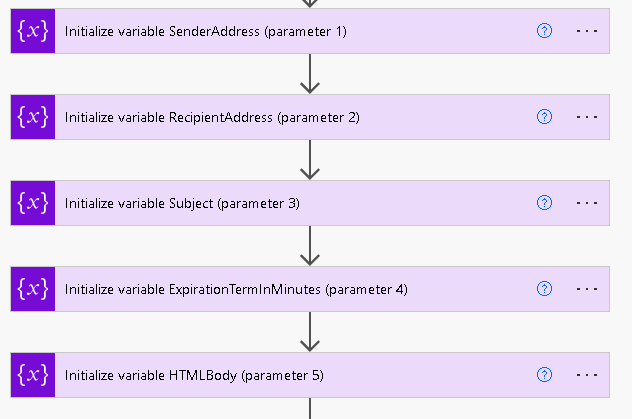
- Modify the values of these variables:
- Turn on the flow.

Warning
After Purchase
You will receive a download link for the ZIP file. Import it into Power Automate as described in the Installation section.
Pricing and Licensing
Payments are processed by PayPro Global. For payment-related support, contact PayPro Global Customer Support.

