


Updated:
5 July 2025
Purpose
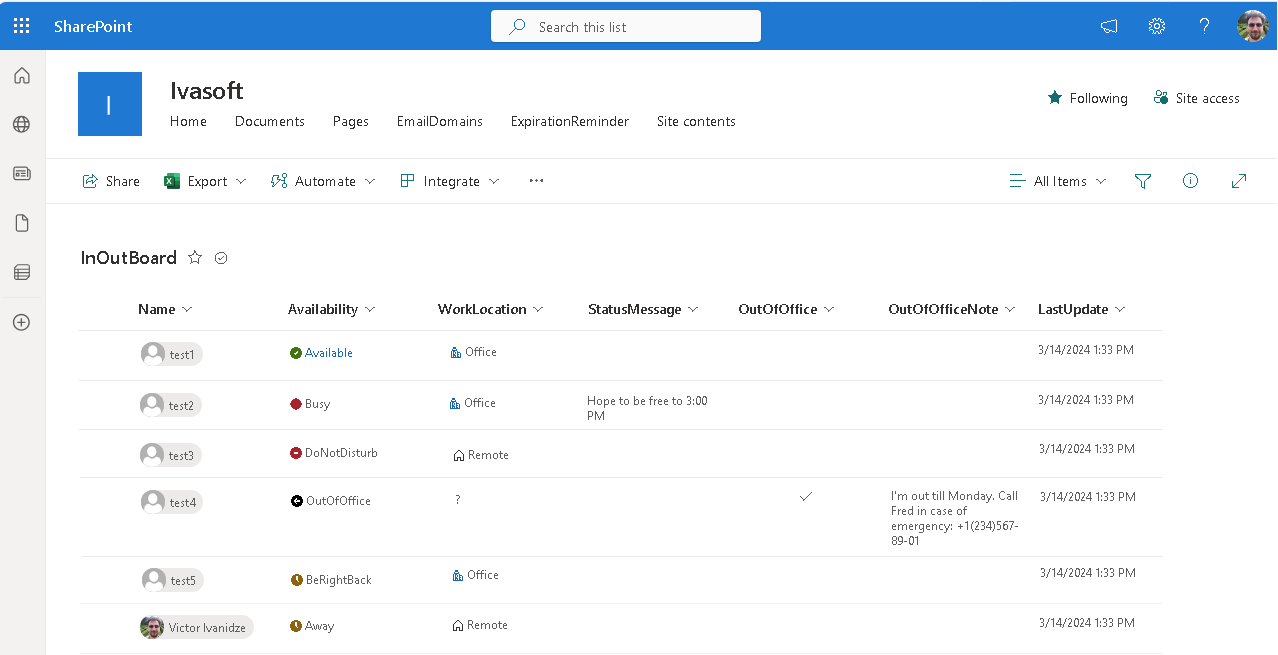
The InOutBoard flow creates a SharePoint list containing contact information for all users, including their presence or absence status and work location.
The flow is designed for small companies (fewer than 100 users) that use Microsoft 365.
Current version: 1.0.7
The flow uses a premium connection "HTTP with Microsoft Entra ID (preauthorized)".
Installation
- Open Power Automate and import "InOutBoard7.zip", following the Power Automate documentation.

- The flow uses three connections: "Office 365 Groups", "SharePoint", and "HTTP with Microsoft Entra ID (preauthorized)". When prompted, use your existing connections or create new ones.
In the "HTTP with Microsoft Entra ID (preauthorized)" connection, enter "https://presence.teams.microsoft.com" in both mandatory fields.
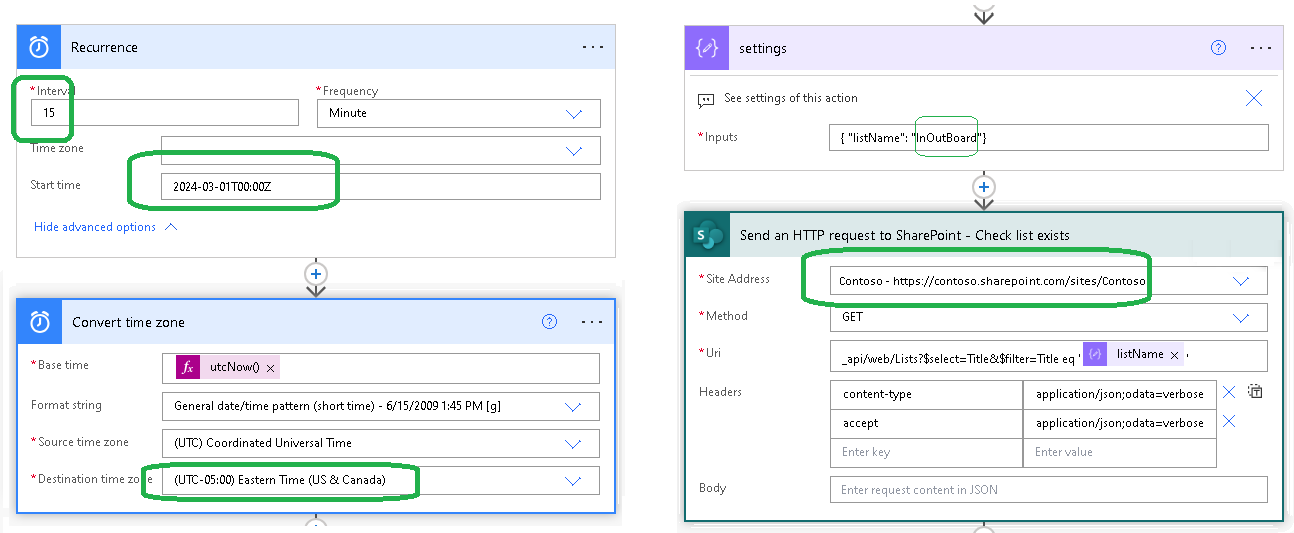
- Change the "Interval" and "Start time" values in the trigger, and select your time zone in the "Convert time zone" action. You can rename the flow in the "Settings" action. Then select the site address in the "Send an HTTP request to SharePoint – Check list exists" action and save the flow.
- Turn on the flow.

Testing
Open SharePoint and navigate to the InOutBoard list. Verify that all user information is displayed correctly.
Limitations
- The InOutBoard flow only detects users with an assigned Microsoft 365 mailbox license, and therefore ignores shared, room, and equipment mailboxes.
- Use the InOutBoard flow if you have fewer than 100 users. Contact us if your company is larger.
Warning
We do not offer a demo version; however, we offer a full money-back guarantee. If you are not satisfied, please contact us to request a refund. You must delete the flow upon receiving a refund.
After Purchase
You will receive a download link for the ZIP file. Import it into Power Automate as described in the Installation section.
Pricing and Licensing
This product is licensed per tenant.
Payments are processed by PayPro Global. For payment-related support, contact PayPro Global Customer Support.
Payments are processed by PayPro Global. For payment-related support, contact PayPro Global Customer Support.
License type
Price per unit

