


Purpose
If your organization uses Office 365 and stores employee contact information in Exchange Online, all contact information for these employees can be found in the GAL (Global Address List) in Outlook. Having this information available on mobile devices is useful — for example, so employees can identify incoming calls from colleagues or easily find someone to call. You can manually copy contacts from the GAL, but this is impractical when employees join or leave, or when contact details change.
The FromGALtoContacts flow creates a local contact for each mailbox in the GAL. You can run it any time you want to refresh your local "mirror" of the GAL mailboxes.
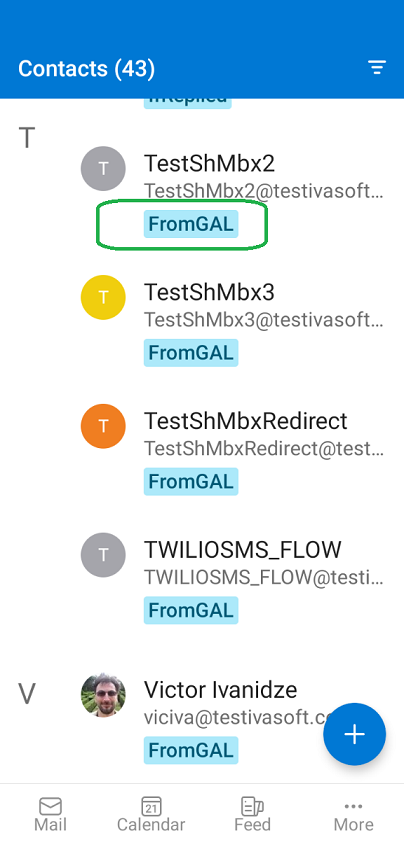
Here is a screenshot of Outlook for Android:
Current version: 1.0.2
Installation
- The flow uses the "Office 365 Groups" connection. When importing the flow, use your existing connection or create a new one.

- Open Power Automate and import "FromGALtoContacts2.zip", following the Power Automate documentation.

- Turn on the flow.

Testing
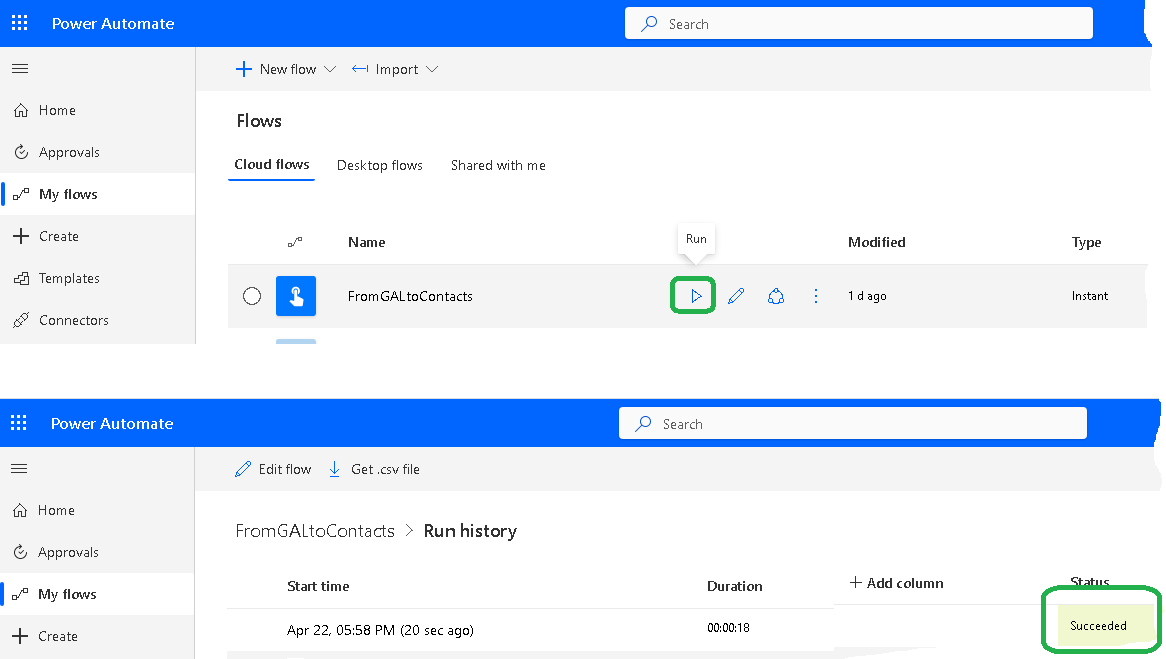
- Run the FromGALtoContacts flow. Once it finishes, verify on your mobile device that the contacts have been added to the "Contacts" folder.
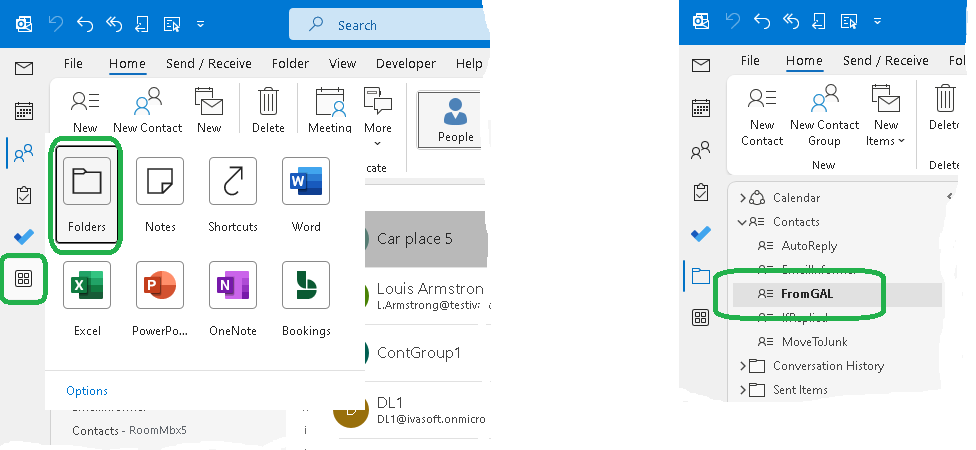
- You can also verify the result in Outlook for Windows: click "More Apps", then "Folders", and navigate to the "Contacts" folder to confirm that the subfolder "FromGAL" has been created.
Warning
After Purchase
You will receive a download link for the ZIP file. Import it into Power Automate as described in the Installation section.
Pricing and Licensing
Payments are processed by PayPro Global. For payment-related support, contact PayPro Global Customer Support.


An Enterprise license covers all computers across a single organization worldwide, including all branches and remote users.